A Google Business Profile is the free listing that puts your business on Google Maps. It's also what gets you into the map results when someone nearby searches for what you do. If you've been searching for how to add your business to Google, this is it. You create a profile at business.google.com, then Google checks the business is real before it counts.
That check is called verification, and it's the bit people get stuck on. This guide covers what a profile is, how to set one up step by step, and how to get verified without getting suspended. We've been through it with our clients, including one profile Google held up for weeks.
What a Google Business Profile is, and why it matters
A Google Business Profile (GBP) is your business's listing on Google. It used to be called Google My Business, and plenty of people still say GMB. It's free. Google doesn't charge you to be listed, to show on Maps or to collect reviews.
Your one profile shows up in three places:
- The map pack. Search for a service and a town, like "landscaper Nottingham", and Google shows a map with three businesses under it, above the normal website results. Those three are Business Profiles.
- The business panel. Search for a business by name and its profile fills the right of the page on a computer, or the top of the screen on a phone.
- Google Maps. Your pin and listing in the Maps app, where people read reviews and tap for directions.
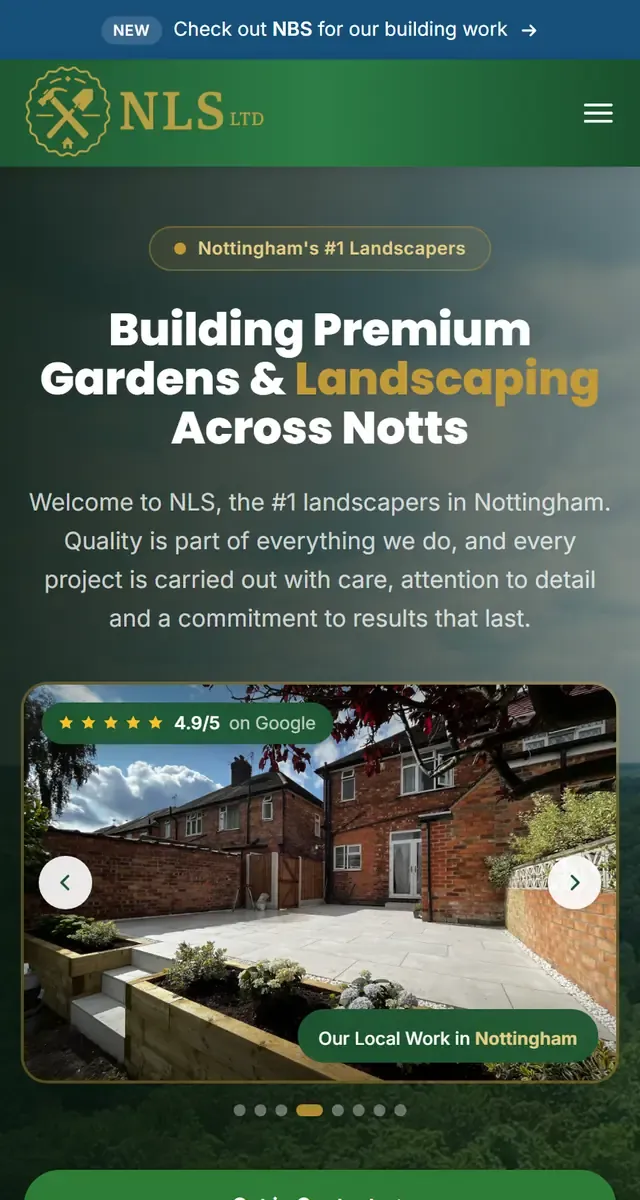
Here's a real one. It's the profile of NLS Landscaping, a Nottingham landscaper we work with, from a Google search in 2026:
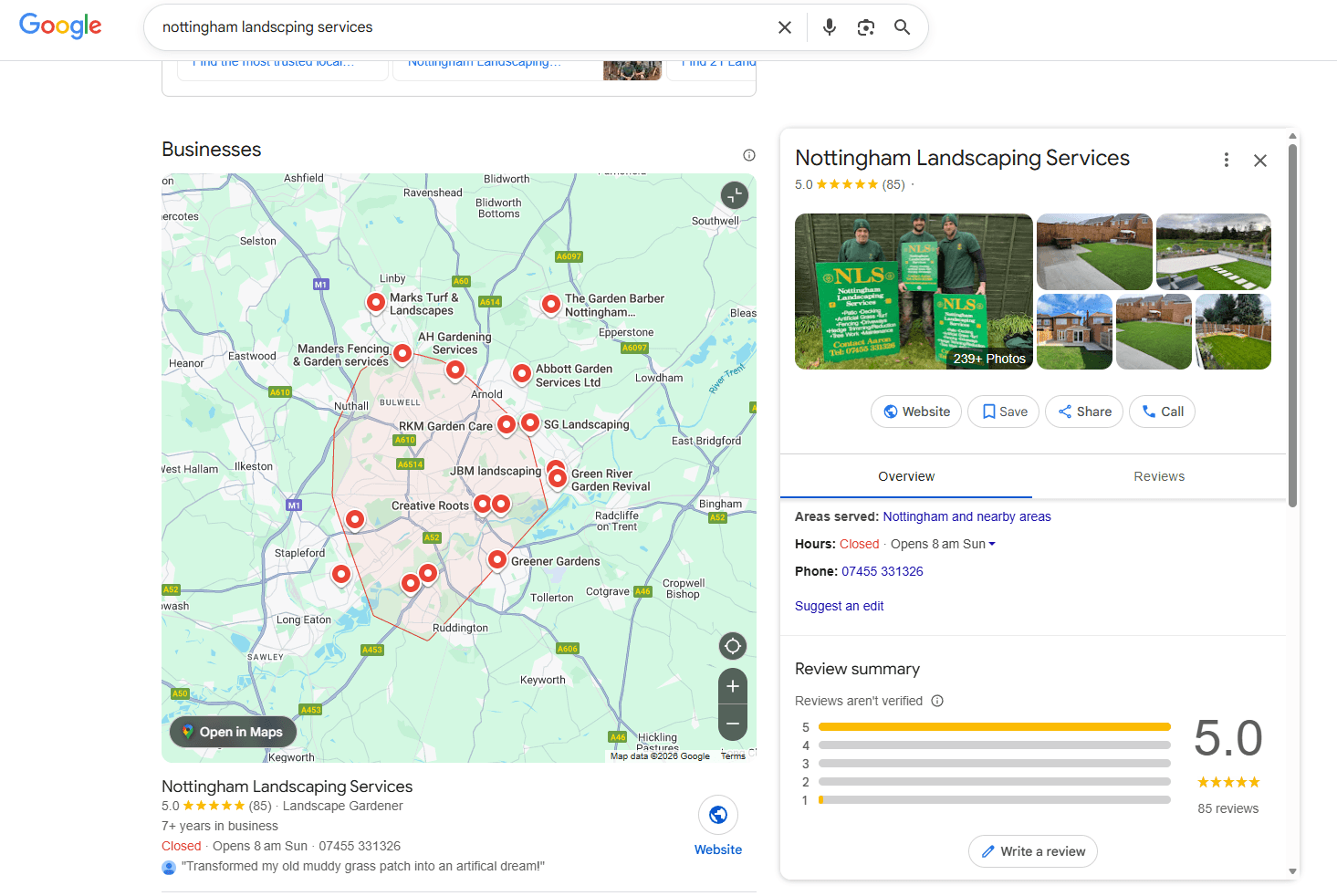
Everything a customer needs is on it. The name, the stars and the number of reviews. The category, "Landscape Gardener", just under the name on the left. The areas served, opening hours, phone number, photos, and Call and Website buttons. Someone can decide whether to ring NLS without ever leaving Google.
Google shows every profile owner what their profile sends them, and that's how we know it's worth the effort. From May to September 2026, Coppermill Landscapes' profile sent the Chesterfield landscaper 22 phone calls and 143 clicks to its website. It also sent 248 requests for directions. Over the same five months of 2025, it was 2 calls, 22 website clicks and 36 direction requests. The Coppermill case study has the rest.
A profile doesn't replace your website. The two work as a pair: the profile gets you found, and the website is where people check you out before they ring. NLS has had 800+ leads through its website and profile together in its first 21 months with us, from February 2025. The numbers are in the NLS case study.
Video walkthrough
How to add your business to Google, step by step
Have these ready before you start: your business name exactly as you trade, your phone number, your website address if you have one, the towns you cover, and some photos of your work.
1. Go to the Google Business Profile website
Head to business.google.com and sign in to the Google account you want to own the profile. Use an account you'll keep, not a staff member's personal one.
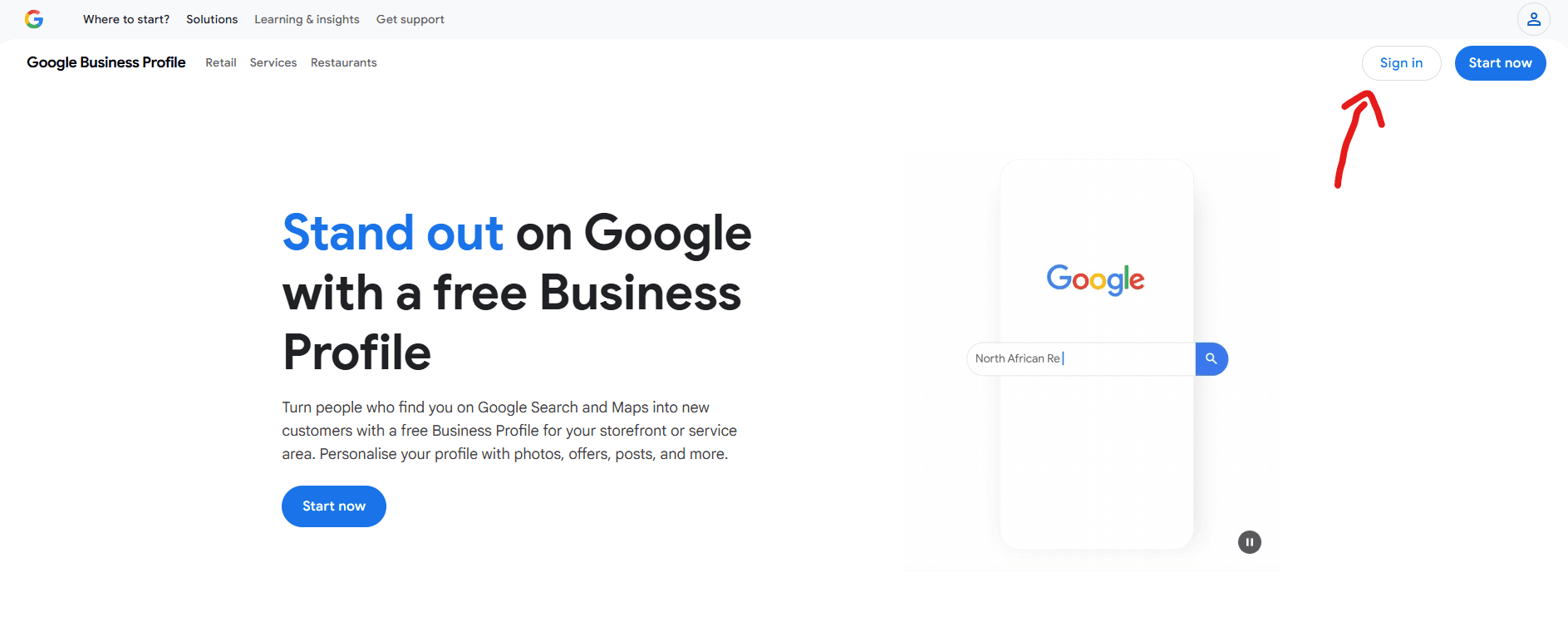
2. Press the "Start Now" button
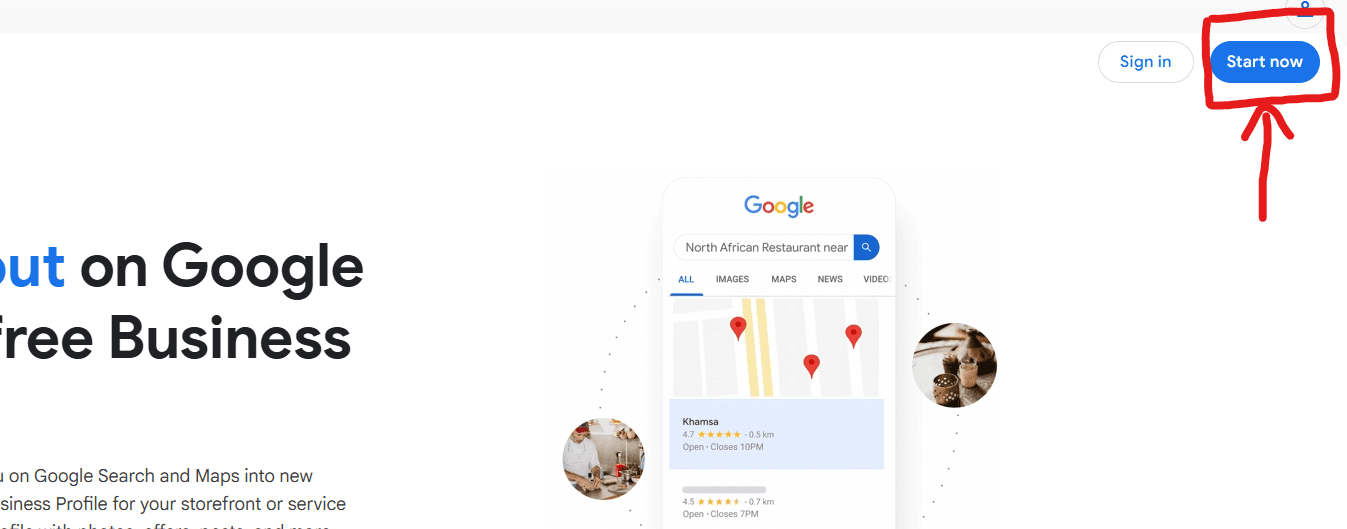
In the top right of the screen there's a blue "Start Now" button. Press it to begin.
3. Enter your business name
You'll be taken to a page to create your profile. Enter the name of your business. Use your real business name exactly, with nothing added. (More on why in the suspension section below.)
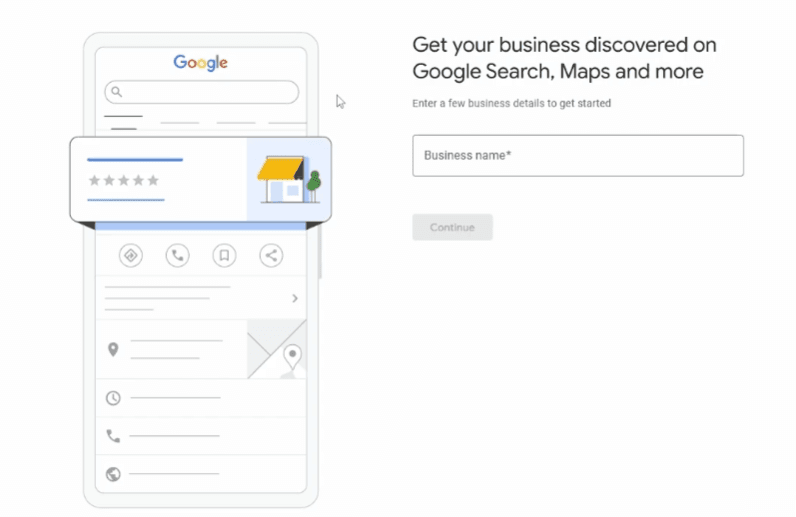
4. Choose your business type
Pick from Online Retail, Local Store or Service Business. If you go to your customers rather than them coming to you, pick Service Business.
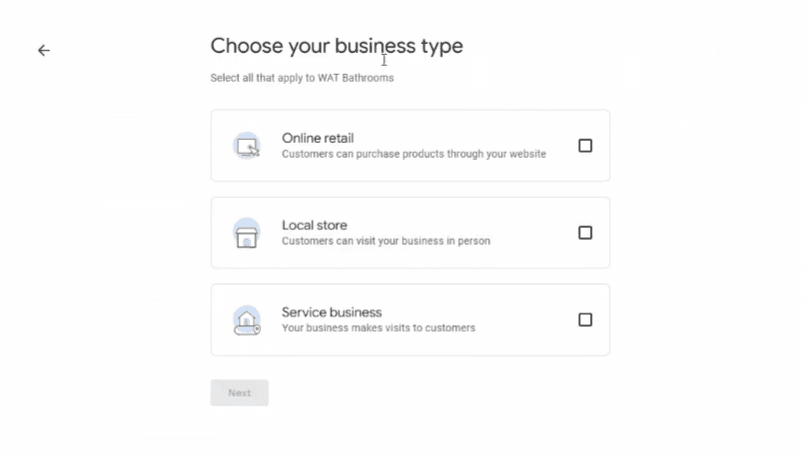
5. Enter your business category
This step matters a lot, because your category decides which searches you show up for. The easiest way to choose is to search Google for what you do in your town and look at the top three profiles. Their primary category shows just under the name, like "Landscape Gardener" under NLS above. You can also click "Suggest an edit" on a profile to see it. If the same category is accurate for you, pick it.
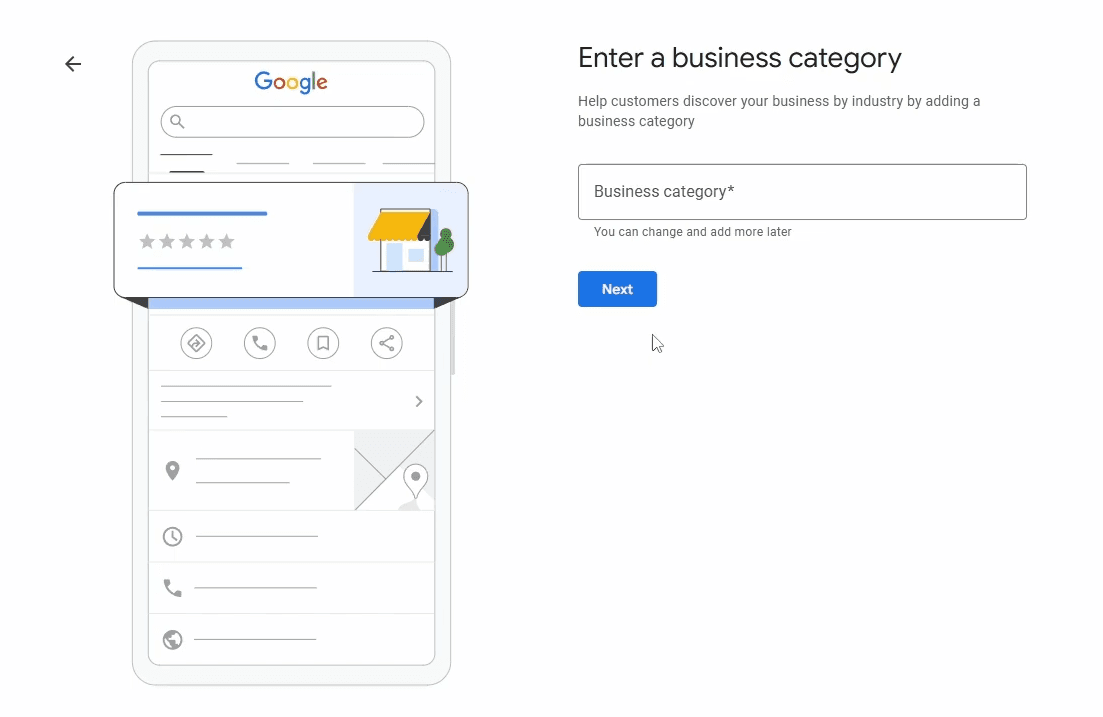
6. Choose your service area
Select the towns and areas you serve. Be specific. The more accurate you are, the better Google can match you to local searches.
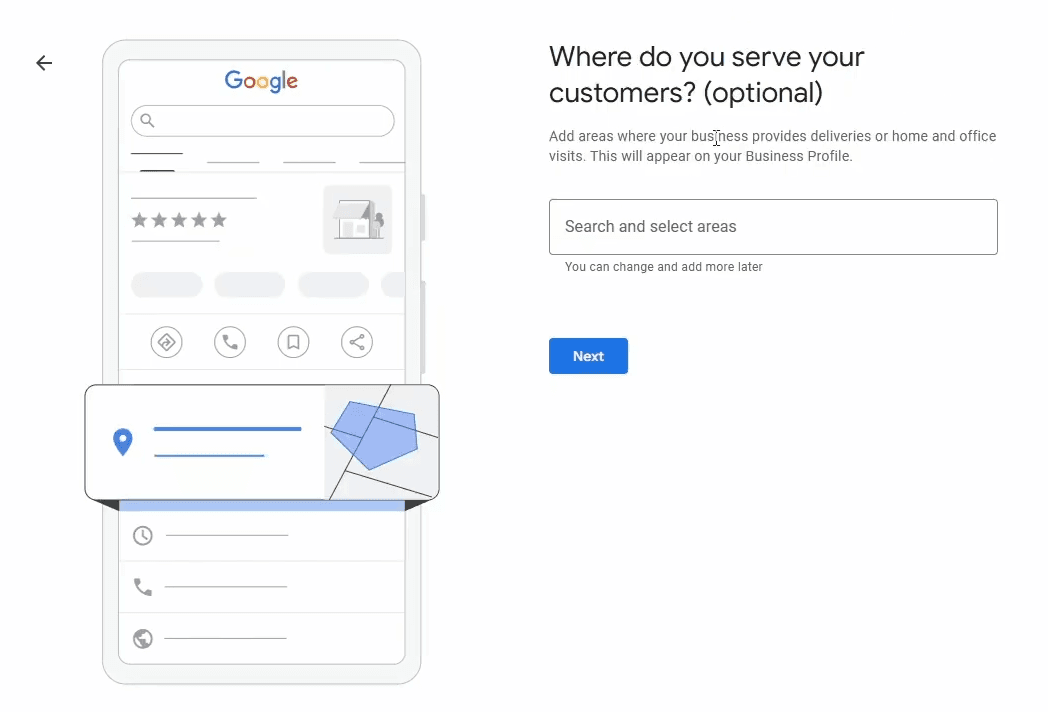
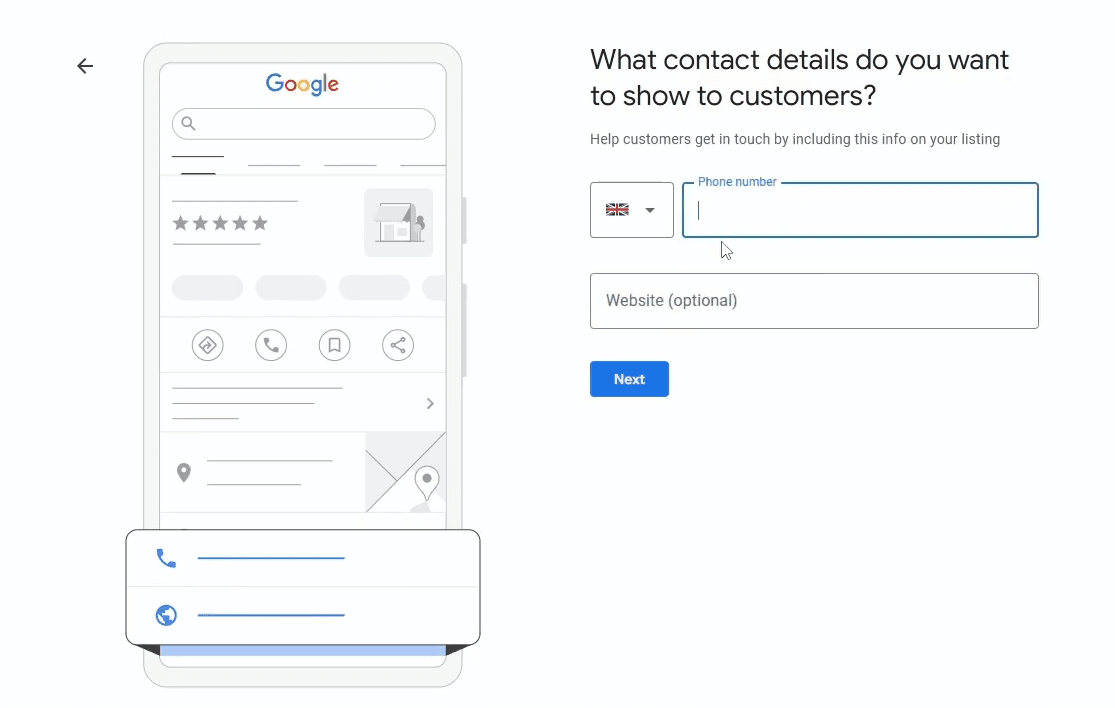
7. Contact details
Enter your business phone number. This is the number customers will see and call. Add your website address too, if you have one.
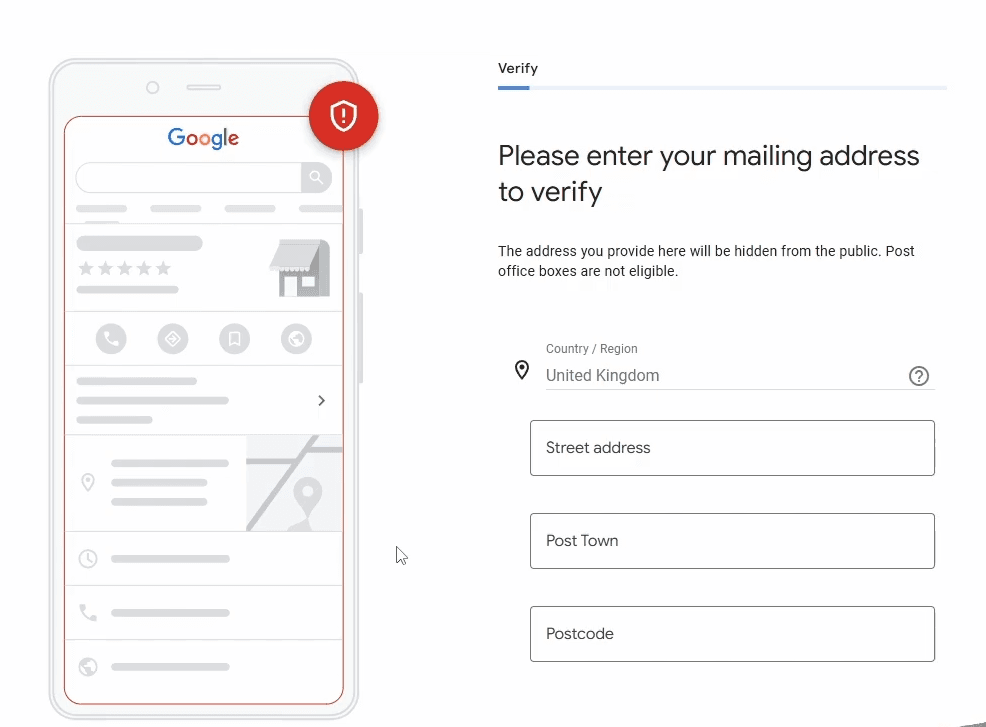
8. Verify your business
Google asks for your address so it can verify the business. If you're a service business, it isn't shown on your profile. Then Google asks you to prove the business is real, by phone, email, post or video. The method varies from person to person, and the video is the one that trips people up, so it has its own section below.
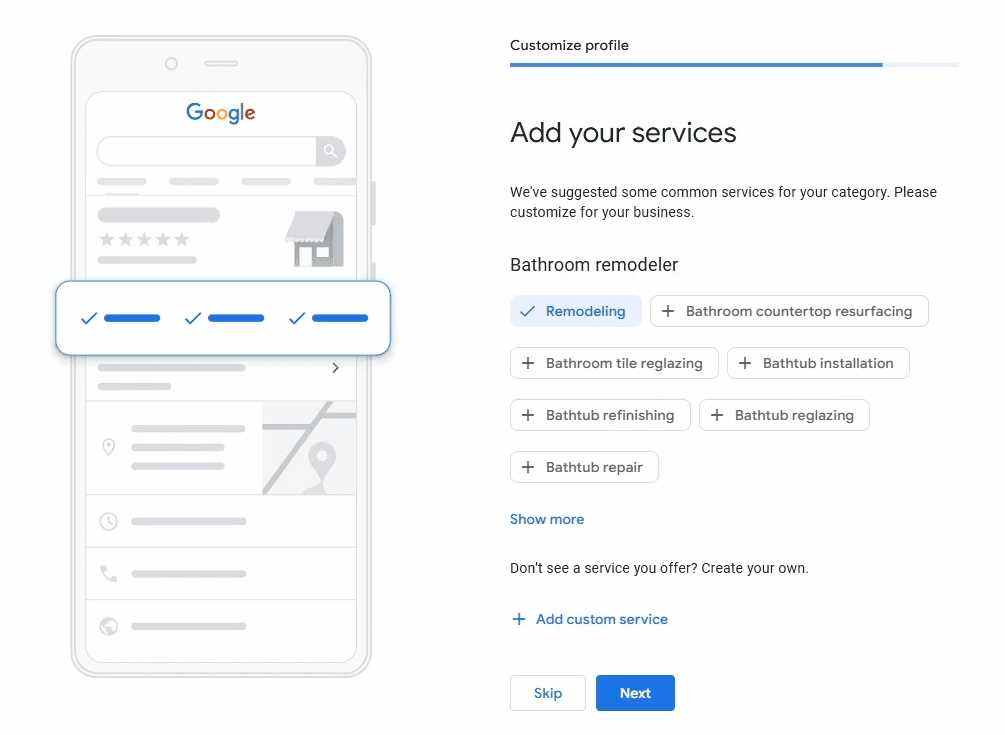
9. Add your services
Add the services your business offers. Use the ones Google suggests, as most of what you do will already be there. We'd add 5 to 15 rather than going overboard, and you can always change them later.
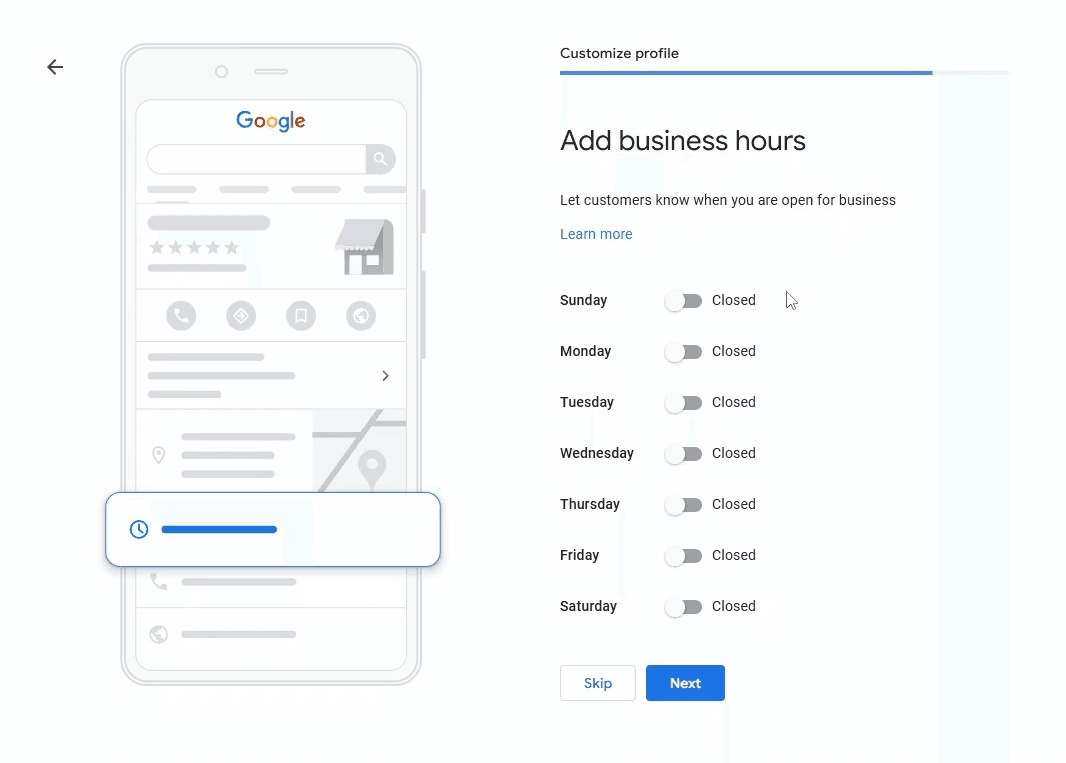
10. Business hours
Enter your opening hours or, for a service business, the hours you'd usually answer the phone. Make sure they match your Facebook page and any directories you're listed on.
11. Business description
Write a description of your business using the words your customers search for. For most businesses that means your main service and your town. A landscaper might include "landscaper in Nottingham" somewhere in it.
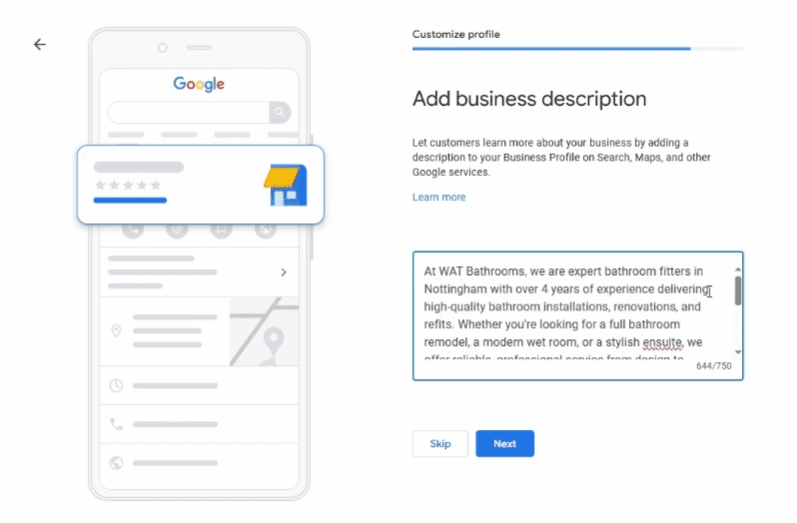
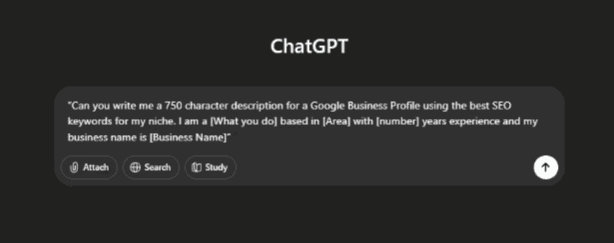
If you're stuck, ChatGPT can write a first draft. Copy and paste this prompt and fill in the blanks:
"Can you write me a 750 character description for a Google Business Profile using the best SEO keywords for my niche. I am a [what you do] based in [area you serve] with [number] years experience and my business name is [Business Name]"
It won't beat a good copywriter, but it gets you started. Read it through and take out anything that isn't true.
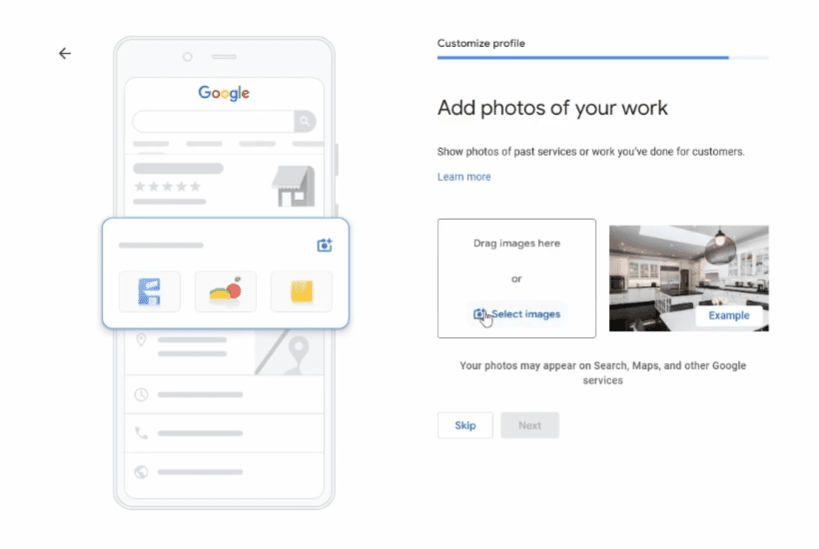
12. Add photos of your work
Finally, add as many photos of real jobs as you can, and keep adding them after setup. NLS's profile above has 239+. Photos of your actual work tell a customer more than anything you can write about yourself.
Getting verified: what to film and what to expect
Google won't treat the profile as yours until it's verified. Google picks the method, and you can't change it. It might be a code by phone, text or email, or a postcard with a code on it. It could also be a live video call with Google's support team, or a video you record yourself. For service businesses with no shopfront, it's more and more often the video.
What happened with MIW
MIW Patios & Landscaping in Derby is exactly the kind of business the video is hardest on. No shop, no showroom, no trade counter. It's Jamie, a branded van and a set of tools, out on jobs all day.
When we set MIW up in early 2026, Google held the profile through several rounds of video review. We had to contact Google directly more than once before it was approved. Weeks went by before MIW could show up in search at all. Jamie talks about it in his review of us:
What Google asks for
Google's rules for the video are short:
- Record it live on your phone, through your Business Profile. You can't upload something you filmed earlier.
- Make it one unedited recording with no breaks, at least 30 seconds long.
- Show where the business is, that it really exists, and that you're the one running it.
What to film
Film it like you're explaining your business to an alien that's just landed on your driveway. Assume Google knows nothing about you. Every claim on your profile, your name, your number, the work you do, don't imply it. Prove it on camera.
For a service business, that means:
- Where you are. Start outside, at the address on your profile. Show the street sign and the house or unit number. If you work from home, nearby street signs and landmarks are fine.
- That the business exists. Your tools and equipment, out of the van and on camera. Your branded workwear, business cards and branded invoices.
- That you run it. Unlock your branded van with the business name and phone number readable. Or hold up an invoice or utility bill with your business name and address on it, close enough to read.
- If you have premises. The sign on the building with your business name on it. Then unlock the door and show inside: your stock, your equipment, a storeroom only staff can get into.
Every detail should match your profile to the letter. A different name on the van, or a different number on the invoice, is a red flag.
A few things that catch people out:
- Talk as you film. "This is my van, that's our number, these are the tools we use." Good daylight, steady hands.
- Don't stop and restart. If you mess up, start a fresh recording.
- Keep it private. Google asks you to keep other people's faces out of it, and not to show bank details or ID numbers.
- Don't rush. Google's minimum is 30 seconds, and there's a lot to get in.
After you send it
Google says reviews take up to five working days. If the video is rejected, you'll get a "Review issues" notice saying what was missing. Record a new one with everything from the first video plus the missing parts. Don't refilm the same weak video and hope. What finally got Jamie through was one unbroken take with the van, the tools and the paperwork, narrated from start to finish.
If Google sent a postcard instead, most codes arrive within 14 days and they expire after 30. Asking for a new code cancels the one already in the post, so give it time.
Whatever happens, don't start a second profile out of frustration. That makes things worse, as the next section explains.
Mistakes that get new profiles suspended
A suspension is when Google takes a profile down because it stops trusting it. On a brand new profile that hurts, because you've nothing to fall back on. These are the usual causes, and Google's guidelines rule out every one:
- Keywords in the business name. "Smith Plumbing" is fine. "Smith Plumbing | Best Emergency Plumber Nottingham" gets you suspended. Google doesn't allow taglines, opening hours or locations in the name, and competitors can report it.
- An address Google doesn't trust. PO boxes and virtual offices aren't allowed, and neither is a mate's unit you don't work from. Use your real address. If you're a service business, Google asks you to hide it anyway.
- Details that don't match the rest of the internet. If your website, Facebook page and directory listings show different phone numbers or addresses, that's a red flag. Get them identical before you verify.
- Changing core details straight after verifying. Editing your name, address and category in the first few days looks like the profile was set up dishonestly. Get it right first time and leave the core details alone for a few weeks.
- A second profile. Google allows one profile per business. If something goes wrong, never start again with a new one.
If you are suspended, appeal through Google's appeals tool. Google says an appeal can only be submitted once, so make it count. Attach your company registration, a business licence or a utility bill, with the business name and address matching your profile.
Google Ads credit offers
When you finish setting up, Google may suggest starting a Google Ads account, sometimes with ad credit for new advertisers. These offers change, and they usually come with a condition: you have to spend a set amount within a set time to earn the credit. Check the current terms in your Ads account before you accept anything. Leave it until you're ready to run ads, with a budget set aside.
What to do after setup
Creating the profile is the start. What you do next decides whether it brings you calls:
- Learn where your dashboard lives. Everything is managed through Google Search itself, with no separate login. How to access your Google Business Profile shows where it is on desktop and mobile.
- Start collecting reviews from day one. Google says more reviews and positive ratings can help your local ranking, and they're the first thing customers read. Our review system guide gives you the exact ask, the message template, and how to get your direct review link and QR code.
- Check your profile every few weeks. Anyone can suggest an edit to it, and Google sometimes changes your hours or details on its own. You won't always be told.
- Add your team or your agency properly. Never share your Google password. How to invite people to your Google Business Profile covers adding managers the right way.
- Work on getting into the map pack. Our map pack guide covers how Google picks the three businesses it shows, and what moves you up.
- Check the website your profile points to. Your profile will send people to your site, and a poor site wastes those clicks. Our free website audit scores it out of 100 across design, mobile, SEO, trust and conversion, so you know if it's ready.
- Rather hand the whole thing over? Our Google Business Profile service covers setup, verification and the ongoing work that gets profiles ranking.
Frequently Asked Questions
Is Google My Business the same as a Google Business Profile?
Yes. Google renamed Google My Business to Google Business Profile in late 2021, and the separate app has gone. You now manage the profile through Google Search and Maps. Plenty of people still say GMB out of habit.
Can I set up a Google Business Profile without showing my home address?
Yes. If you work at your customers' homes or premises, choose Service Business during setup. Google hides your address and shows the areas you cover instead. You still need a real address for verification (a PO box won't work), but customers never see it.
Should I add keywords to my business name on Google?
No. Your profile name must match your real business name. Adding extras like Best Landscaper Nottingham breaks Google's guidelines and is a quick way to get a new profile suspended. Competitors can report it too.
How do I pass Google Business Profile video verification?
Record one live, unedited video of at least 30 seconds on your phone, through your profile. Show where the business is (street signs and the address), that it exists (tools, equipment, branded workwear) and that you run it (unlocking your branded van, or holding up an invoice or utility bill in the business name). Everything should match your profile exactly. If it's rejected, record a new one that adds what was missing, rather than filming the same thing again.
How long does Google take to verify a Business Profile?
Google says verification reviews take up to five working days. Postcard codes mostly arrive within 14 days and expire after 30. It can take a lot longer if Google isn't happy: MIW Patios' video verification took weeks in early 2026, because Google held it through several reviews.
Why was my new Google Business Profile suspended?
Usually because something looked untrustworthy: keywords in the business name, a PO box or virtual office address, details that don't match your website and Facebook, or big changes to core details straight after verifying. Don't create a second profile. Appeal through Google's appeals tool with proof such as your company registration or a utility bill, with the name and address matching the profile.
Can other people change the information on my profile?
Yes, and it catches a lot of owners out. Anyone can suggest an edit to your profile, and Google sometimes updates your hours or details using information it finds elsewhere. Check your profile every few weeks, because you won't always get a notification.
Do I still need a website if I have a Google Business Profile?
You'll get further with both. The profile gets you found and takes the quick calls. The website is where people compare you, look at your work and fill in an enquiry form. From May to September 2026, Coppermill Landscapes' profile sent 143 clicks to its website.